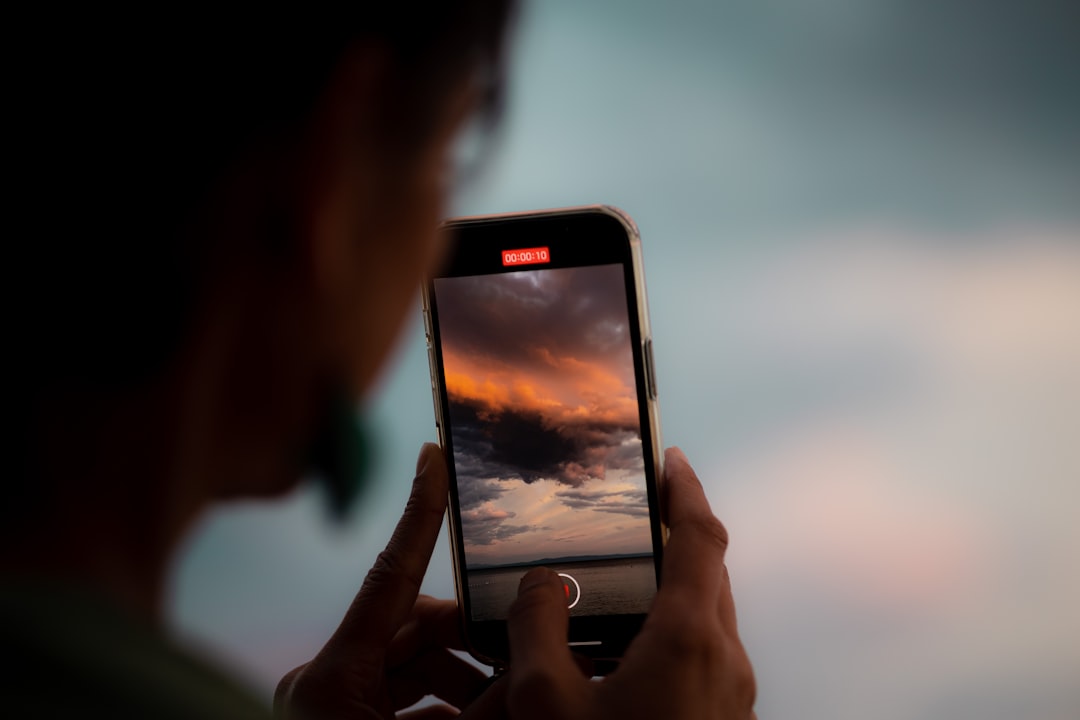
An iPhone can become warm during normal use, but it should not feel uncomfortably hot for long periods. When heat builds up, performance may slow, charging may pause, and the device may display a temperature warning. Understanding why an iPhone overheats helps users protect the battery, improve daily performance, and avoid habits that shorten the phone’s lifespan.
TLDR: An iPhone usually overheats because of heavy processing, poor charging habits, weak battery health, high ambient temperature, or software activity running in the background. Heat is especially harmful to lithium ion batteries, so repeated overheating can reduce battery capacity over time. The best fixes include using certified chargers, removing thick cases while charging, updating iOS, closing demanding apps, and keeping the device out of direct sunlight.
Why an iPhone Gets Hot
An iPhone generates heat whenever its processor, battery, screen, camera, and wireless radios work harder than usual. Some warmth is expected during activities such as gaming, video recording, navigation, FaceTime calls, large downloads, or restoring data from a backup. In these situations, the internal components are performing many tasks at once, which naturally produces heat.
However, persistent overheating can signal a deeper problem. The device may be exposed to direct sunlight, charging inefficiently, running a buggy app, or struggling with an aging battery. Apple designs iPhones to manage temperature automatically, but the phone still depends on good user habits and a healthy environment.
Battery Health and Heat
The iPhone uses a lithium ion battery, which is efficient, rechargeable, and compact. Like all batteries, it ages over time. Battery health declines gradually as the device goes through charge cycles. A charge cycle is not simply one time being plugged in; it is the equivalent of using 100 percent of the battery’s capacity, even if that happens across multiple partial charges.
As battery health decreases, the battery may become less capable of delivering peak power. This can make the iPhone work harder to maintain performance, especially under demanding conditions. A worn battery may also heat up more easily during charging or heavy use. If the battery’s maximum capacity has dropped significantly, overheating may become more noticeable.
Users can check battery condition by going to Settings > Battery > Battery Health & Charging. The Maximum Capacity percentage shows how much charge the battery can hold compared with when it was new. The Peak Performance Capability section can also indicate whether the battery is supporting normal performance. If iOS recommends service, replacing the battery may improve both temperature control and reliability.
Charging Habits That Cause Overheating
Charging is one of the most common times an iPhone becomes warm. Some heat during charging is normal, but excessive heat may be caused by poor charging practices. A damaged cable, low quality power adapter, or non certified accessory may deliver unstable power, causing the battery and charging system to heat up.
Fast charging can also produce more warmth than standard charging because it sends more power to the battery in a shorter time. This is not necessarily harmful when proper accessories are used, but it can become a problem if the phone is also being used for gaming, streaming, or navigation while plugged in. Charging and heavy performance tasks together create extra thermal stress.
Wireless charging may also make the device feel warmer than cable charging. If the iPhone is not aligned properly on the charging pad, energy transfer becomes less efficient, and more heat is produced. Thick cases, metal attachments, magnetic accessories, or objects trapped between the phone and charger can make this worse.
Common Charging Mistakes
- Using uncertified chargers: Cheap or faulty accessories may create inconsistent power flow.
- Charging under a pillow or blanket: Covered devices cannot release heat properly.
- Leaving the iPhone in a hot car: High surrounding temperature can push the battery beyond safe limits.
- Gaming while charging: The processor and battery heat up at the same time.
- Using thick cases during charging: Some cases trap heat and slow cooling.
How Background Activity Contributes to Heat
Sometimes an iPhone overheats even when it seems idle. This often happens because background processes are active. After an iOS update, the device may reindex files, analyze photos, update apps, sync iCloud data, and refresh system services. This can make the phone warm for several hours, or occasionally longer, depending on the amount of data stored.
Apps can also create heat if they are poorly optimized or stuck in a loop. Social media apps, games, navigation apps, video editors, and camera apps are frequent causes because they use the processor, graphics chip, GPS, camera, or mobile data heavily. If the battery drains quickly and the device becomes hot, one app may be responsible.
Battery usage can be reviewed under Settings > Battery. This section shows which apps have used the most power over the last 24 hours or several days. If an app shows unusually high activity, updating it, closing it, limiting background refresh, or uninstalling it may reduce heat.
Environmental Heat Matters
An iPhone is designed to operate best within a recommended temperature range. Hot weather, direct sunlight, and enclosed spaces can quickly increase internal temperature. A phone mounted on a car dashboard while using GPS is a classic example. The screen stays bright, location services remain active, mobile data may be working continuously, and sunlight heats the glass surface. All of these factors combine to create overheating.
Cold environments can also affect battery performance, but heat is generally more damaging over the long term. Repeated exposure to high temperatures can permanently reduce battery capacity. For this reason, users should avoid leaving an iPhone in parked cars, on windowsills, near heaters, or outdoors in the sun.
Warning Signs of Overheating
An overheating iPhone may show several symptoms before a temperature warning appears. The screen may dim automatically, charging may slow or stop, the camera flash may be disabled, and performance may feel sluggish. Cellular signal may weaken temporarily, graphics may stutter, or apps may close unexpectedly. These changes are protective measures designed to reduce heat.
If the iPhone displays a temperature warning, it should be moved to a cooler location and left unused until it returns to normal. The device should not be placed in a refrigerator or freezer. Sudden temperature changes can create condensation, which may damage internal components. A gradual cool down in a shaded, room temperature area is safer.
Cooling Tips That Actually Help
When an iPhone feels too hot, the goal is to reduce workload, stop charging if necessary, and improve airflow. Simple steps can make a big difference.
- Remove the case: A case can trap heat, especially during charging or gaming.
- Move the device out of sunlight: Shade reduces external heat immediately.
- Stop demanding apps: Games, video recording, and navigation should be paused.
- Unplug the charger: If the device is overheating while charging, disconnect it temporarily.
- Turn on Low Power Mode: This limits background activity and reduces performance demand.
- Use Wi Fi when possible: Weak cellular signals can make the phone work harder.
- Restart the iPhone: A restart can stop stuck processes that generate heat.

Settings That Can Reduce Heat
Several iOS settings can help prevent overheating during daily use. Low Power Mode, found under Settings > Battery, reduces background tasks, mail fetch, some visual effects, and automatic downloads. It is useful when the device is warm or the battery is low.
Background App Refresh can be managed under Settings > General > Background App Refresh. Disabling it for non essential apps may reduce processor and network activity. Location permissions are also important. Under Settings > Privacy & Security > Location Services, apps that do not need constant location access should be set to While Using the App or Never.
Keeping iOS updated is another key step. Software updates often include performance improvements, bug fixes, and thermal management changes. App updates are equally important because developers regularly fix battery drain and overheating issues.
When Battery Replacement May Be Needed
If an iPhone overheats frequently despite careful charging and normal use, battery service may be necessary. This is especially likely when maximum capacity is low, the device shuts down unexpectedly, or iOS reports degraded performance capability. An aging battery can struggle under load and generate more heat than a healthy one.
Battery replacement is often more affordable than replacing the entire phone, and it can restore dependable performance. For safety, battery service should be done by Apple or a qualified repair provider. Poor quality replacement batteries can create new problems, including swelling, overheating, and unreliable charging.
Habits That Protect Long Term Battery Health
Good daily habits can slow battery aging and reduce overheating. The iPhone does not need to be drained to zero before charging. In fact, lithium ion batteries generally prefer partial charging. Keeping the battery between moderate levels, such as roughly 20 percent to 80 percent when convenient, can reduce stress over time.
The Optimized Battery Charging feature helps by learning charging routines and delaying the final charge to 100 percent until it is needed. This reduces the time the battery spends fully charged, which can support long term health. Users who keep the phone plugged in overnight should make sure this feature is enabled.
It is also wise to avoid combining heat producing activities. For example, the device should not be fast charged on a sunny windowsill while streaming video. A cooler environment, a reliable charger, and fewer active apps allow the battery to charge more safely.
Final Thoughts
An iPhone overheats when heat generation exceeds the device’s ability to release it. The cause may be heavy app use, environmental temperature, low battery health, inefficient charging, or background software activity. Most overheating problems can be prevented with sensible habits: use certified accessories, avoid heat exposure, manage demanding apps, keep software updated, and monitor battery health.
If overheating continues after these steps, the device may need professional inspection. Persistent heat should not be ignored, because it can affect performance, safety, and the long term condition of the battery.
FAQ
Why does an iPhone get hot while charging?
An iPhone can get warm while charging because power is moving into the battery. Excessive heat may be caused by fast charging, a thick case, wireless charging misalignment, heavy app use during charging, or a poor quality charger.
Is it bad if an iPhone overheats often?
Yes. Frequent overheating can reduce battery health over time and may affect performance. Occasional warmth is normal, but repeated excessive heat should be addressed.
Should an overheated iPhone be placed in a refrigerator?
No. A refrigerator or freezer can cause condensation and damage internal components. The safer approach is to turn off demanding activity, unplug the charger, remove the case, and place the phone in a shaded, room temperature area.
Can a bad battery cause overheating?
Yes. A degraded battery may struggle to deliver power efficiently, especially during demanding tasks or charging. If battery health is poor or iOS recommends service, replacement may help.
Does wireless charging make an iPhone hotter?
Wireless charging can create more heat than wired charging, especially when the phone is not aligned correctly on the pad or when a thick case blocks heat from escaping.
What is the fastest safe way to cool an iPhone?
The fastest safe method is to stop heavy use, unplug the charger, remove the case, move the device to shade, and let it cool naturally. Turning on Low Power Mode or powering the device off can also help.