Want more emails from your website visitors? Popup builder tools can help. They are simple tools that show small messages or forms on your site. These messages ask visitors to subscribe, download, or grab a deal. When used well, popups can turn casual visitors into loyal leads.
TLDR: Popup builder tools help you collect emails and grow your audience fast. They let you create eye-catching forms without coding. You can target the right people at the right time. When done right, popups boost conversions without annoying visitors.
What Are Popup Builder Tools?
Popup builder tools are software platforms. They help you create popups for your website. No coding skills needed. Just drag, drop, edit, and publish.
Popups can appear in many ways:
- Lightbox popups that appear in the center of the screen
- Slide-ins that glide in from the side
- Top or bottom bars that stay on the screen
- Fullscreen overlays that grab full attention
- Exit-intent popups that show when someone is about to leave
The goal is simple. Capture leads. That usually means collecting email addresses. But it can also mean phone numbers, survey answers, or webinar signups.
Why Lead Capture Matters
Traffic is great. But traffic alone means nothing. If people visit and leave, you lose them forever.
Lead capture changes that. When you collect an email, you can:
- Send newsletters
- Promote products
- Share blog posts
- Offer discounts
- Build trust over time
Email marketing still delivers one of the highest returns on investment. And popups are one of the easiest ways to grow your list.
No list. No long-term growth.
How Popup Builders Make Life Easy
Years ago, you needed a developer to create popups. Now? Not anymore.
Most popup tools include:
- Drag-and-drop editors
- Pre-made templates
- Mobile-friendly designs
- Integration with email platforms
- Analytics and reports
You choose a template. Change the colors. Add your text. Connect your email service. Done.
It can take less than 10 minutes to launch your first campaign.
Types of Lead Capture Campaigns You Can Create
Not all popups are the same. Different goals need different approaches.
1. Discount Offers
Offer 10% off. Or free shipping. Visitors enter their email to get the deal.
This works great for online stores. People love instant rewards.
2. Lead Magnets
Give away something valuable. For free.
- Ebooks
- Checklists
- Templates
- Mini courses
- Guides
In return, they give you their contact details.
3. Webinar Registrations
Hosting an online event? Use a popup to promote it. Add a countdown timer for urgency.
4. Exit-Intent Campaigns
Someone is about to leave your site. A popup appears with a last-minute offer.
This can recover visitors you were about to lose.
5. Survey or Feedback Forms
Want to know what your visitors think? Ask them.
Short surveys can increase engagement. And collect useful data.
Smart Targeting Makes a Big Difference
Good popup tools are not just about design. They are about timing.
You can control when and how popups appear.
Common targeting options include:
- Time on page
- Scroll percentage
- Exit intent
- Specific pages
- Device type
- Location
- New vs returning visitors
This prevents random interruptions. It makes popups feel relevant.
For example:
- Show a discount only on product pages.
- Offer a blog content upgrade after 60% scroll.
- Display a mobile-friendly popup just for phone users.
The right message. To the right person. At the right time.
Design Tips for High-Converting Popups
Design matters. A lot.
A messy popup gets ignored. A clear one gets results.
Keep It Simple
Do not ask for too much information.
Name and email is often enough. The more fields you add, the lower your conversions.
Write a Clear Headline
Your headline should answer one question: What’s in it for me?
Examples:
- “Get 15% Off Your First Order”
- “Download the Free Marketing Checklist”
- “Join 10,000+ Smart Entrepreneurs”
Use Strong Call-to-Action Buttons
Instead of “Submit,” try:
- “Get My Discount”
- “Send Me the Guide”
- “Save My Spot”
Make buttons bold. Use contrasting colors.
Add Visual Appeal
A small image can increase engagement. So can icons.
But do not overcrowd the space.
Mobile Optimization Is Not Optional
More than half of web traffic comes from mobile devices.
Your popup must look good on small screens.
That means:
- Large text
- Easy-to-tap buttons
- Minimal fields
- Fast loading speed
Some popup tools let you create separate designs for desktop and mobile. That is a big plus.
Google also dislikes intrusive mobile popups. So avoid fullscreen takeovers that block content immediately.
A/B Testing for Better Results
Guessing is risky. Testing is smart.
Many popup builders allow A/B testing. This means you create two versions. The tool shows each version to different visitors. Then it tracks which performs better.
You can test:
- Headlines
- Images
- Button text
- Colors
- Offers
- Triggers
Even small changes can make a big impact.
For example, changing “Subscribe” to “Get Free Tips” can boost signups.
Test. Improve. Repeat.
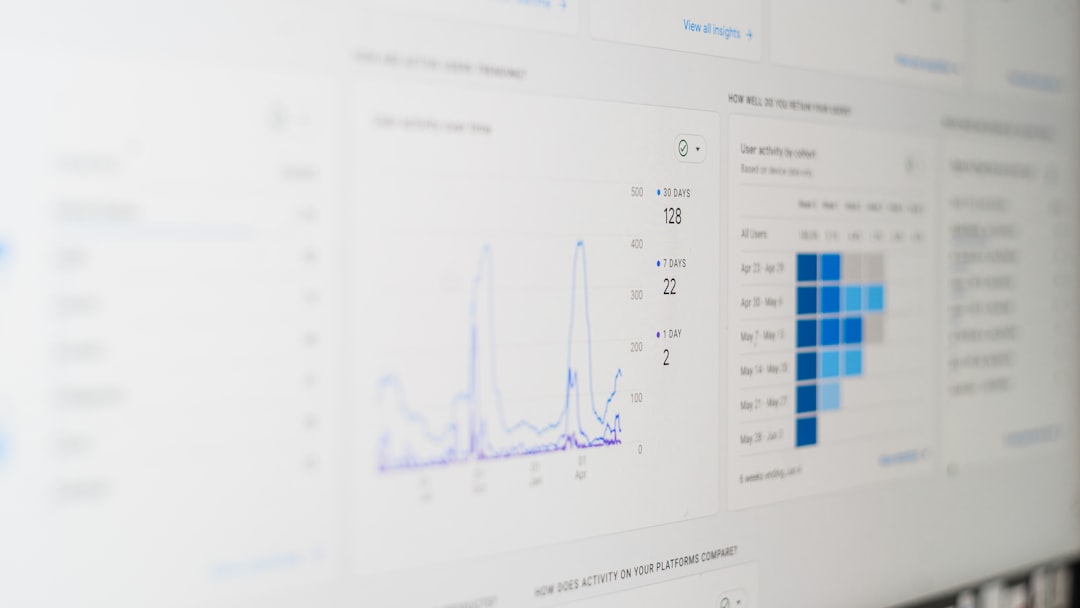
Analytics and Tracking
Good tools give you data.
You can see:
- Views
- Conversions
- Conversion rate
- Top-performing pages
- Device breakdown
This helps you understand what works.
If a popup gets many views but few conversions, something is wrong. Maybe the offer is weak. Maybe the design is confusing.
Data helps you fix it fast.
Common Mistakes to Avoid
Popups are powerful. But they can also annoy visitors.
Watch out for these mistakes:
- Showing a popup immediately after page load
- Displaying the same popup again and again
- Using hard-to-close designs
- Asking for too much information
- Offering no real value
Always include a visible close button. Respect your visitor’s experience.
A bad popup can hurt your brand. A good one builds trust.
Integrations Make Automation Easy
Popup tools work best when connected to other platforms.
Most integrate with:
- Email marketing services
- CRM systems
- Ecommerce platforms
- Automation tools
Once connected, everything runs on autopilot.
Someone signs up. They instantly receive a welcome email. Maybe a discount code. Maybe a download link.
You sleep. The system works.
Are Popups Still Effective in 2026?
Short answer? Yes.
But only if used wisely.
Today’s users are smarter. They ignore spammy tactics. They close annoying windows fast.
To win, your popup must:
- Offer real value
- Look professional
- Appear at the right time
- Be easy to close
When you respect users, they respond.
How to Get Started Today
Ready to try popup builder tools?
Follow these simple steps:
- Choose your goal. More subscribers? More sales? More registrations?
- Create a strong offer. Discounts and free downloads work well.
- Select a template. Keep it clean and simple.
- Set smart triggers. Time delay or scroll-based works great.
- Connect your email platform.
- Launch and test.
Start small. Improve over time.
You do not need perfection. You need progress.
Final Thoughts
Popup builder tools are one of the easiest ways to grow your audience. They require little effort. But they can deliver big results.
The secret is balance.
Be bold. But not pushy.
Be clear. But not complicated.
Offer value. Always.
When done right, popups feel helpful. Not annoying. They guide visitors toward something useful.
And that is the true goal of any lead capture campaign.
More leads. Better relationships. Smarter growth.
All starting with a simple popup.