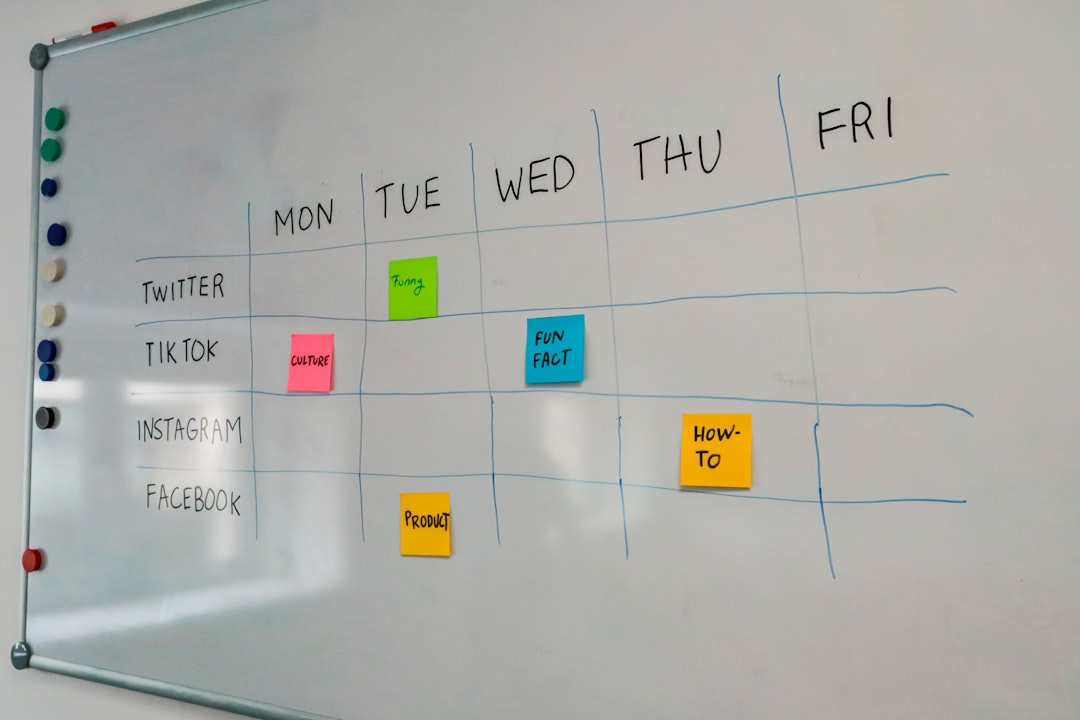
Miro is a cloud-based collaborative whiteboard platform that enables teams to brainstorm, plan, and execute projects visually in real time. It combines digital sticky notes, diagrams, templates, and integrations into one flexible workspace accessible from anywhere. Originally designed to replicate the experience of a physical whiteboard, Miro has evolved into a powerful visual collaboration hub used by businesses, educators, and remote teams worldwide.
TLDR: Miro is an online whiteboard platform that allows teams to collaborate visually in real time. Users can add sticky notes, diagrams, images, and integrations to organize ideas and manage workflows. It works directly in the browser and syncs across devices, making it ideal for remote and hybrid teams. With templates and third-party integrations, Miro supports brainstorming, agile planning, design thinking, and more.
In today’s increasingly digital workplace, collaboration tools are essential. As organizations shift to remote or hybrid models, they require platforms that replicate the dynamic energy of in-person teamwork. Miro meets this need by providing a dynamic digital canvas where ideas can be mapped, refined, and shared effortlessly.
What Is Miro?
Miro is a web-based visual collaboration tool that provides an infinite online canvas where users can create, organize, and collaborate on content. Founded in 2011, Miro has grown into a widely adopted solution across industries such as technology, marketing, education, consulting, and product development.
At its core, Miro functions like a digital whiteboard—but with significantly more capabilities. Unlike traditional whiteboards, Miro allows users to:
- Create and edit content in real time
- Invite team members to collaborate simultaneously
- Save and organize multiple boards indefinitely
- Use structured templates for common workflows
- Integrate with popular business tools
This flexibility makes Miro suitable for brainstorming sessions, strategic planning, user journey mapping, wireframing, retrospectives, and even full-scale project management.
How Does Miro Work?
Miro operates entirely in the cloud. Users access it through a web browser or dedicated desktop and mobile apps. Once logged in, they can create a new board or choose from hundreds of pre-designed templates.
The platform centers around an infinite canvas. This means there are no fixed dimensions; users can zoom in and out and expand the board as much as needed. This flexibility enables teams to map large systems, workflows, or diagrams without worrying about space constraints.
Core Components of a Miro Board
Miro boards are built using several core elements:
- Sticky Notes: Digital notes for ideas, tasks, or feedback
- Shapes and Connectors: Flowcharts, diagrams, and process maps
- Text Boxes: Headings and detailed explanations
- Images and Media: Uploads that enhance visual context
- Frames: Sections that organize content into structured areas
- Widgets: Timers, voting tools, and interactive features
Multiple users can edit, comment, and react simultaneously. Each participant’s cursor is visible, creating a truly interactive experience similar to being in the same physical room.
Key Features of Miro
Miro stands out because of its broad range of features designed to support teamwork.
1. Real-Time Collaboration
One of Miro’s strongest capabilities is real-time collaboration. As one user adds a sticky note or edits a shape, others see the changes instantly.
- Live cursor tracking
- Commenting and mentions (@username)
- Reactions and quick feedback tools
- Built-in video chat (in some plans)
This feature is essential for brainstorming sessions and workshops.
2. Ready-Made Templates
Miro offers hundreds of templates to jumpstart projects. These include:
- SWOT analysis
- Kanban boards
- User story maps
- Mind maps
- Customer journey maps
- Agile sprint planning boards
Templates reduce setup time and provide proven frameworks for common business challenges.
3. Integrations with Other Tools
Miro integrates with numerous third-party tools to centralize workflows.
| Integration | Purpose | Benefit |
|---|---|---|
| Slack | Team communication | Share boards and updates instantly |
| Microsoft Teams | Team meetings | Collaborate during live calls |
| Google Drive | File storage | Easily attach documents |
| Jira | Project tracking | Sync tasks and development issues |
| Trello | Task management | Import and manage boards visually |
This ecosystem approach enhances productivity by reducing tool-switching.
4. Facilitation and Workshop Tools
Miro includes tools designed specifically for facilitators running virtual workshops:
- Voting sessions for prioritization
- Countdown timers
- Private mode for individual brainstorming
- Presentation mode
These features make it easier to manage structured group activities and maintain engagement.
Who Uses Miro?
Miro’s flexibility makes it useful across multiple roles and industries.
Product Teams
Product managers and developers use Miro for roadmapping, sprint planning, and user story mapping.
Design Teams
UX and UI designers map user journeys, create wireframes, and run design thinking workshops.
Marketing Teams
Marketers organize campaigns, brainstorm strategies, and build content calendars.
Educators and Students
Teachers use Miro for virtual classrooms, collaborative exercises, and interactive lessons.
Consultants and Facilitators
Professionals conducting workshops or strategic sessions use Miro to structure discussions and capture insights.
Benefits of Using Miro
Miro offers several distinct advantages over traditional collaboration tools.
- Accessibility: Cloud-based, available anywhere with internet access
- Scalability: Suitable for small teams and large enterprises
- Visual Clarity: Ideas organized spatially for better understanding
- Flexibility: Adaptable to various use cases
- Engagement: Interactive tools keep participants involved
These benefits make Miro especially valuable for distributed teams that rely heavily on digital communication.
How Teams Typically Use Miro in Practice
A typical workflow in Miro often follows these steps:
- Create a board or select a template
- Invite participants via link or email
- Collaborate in real time or asynchronously
- Organize and prioritize ideas
- Export or integrate outputs into project management tools
Because boards are automatically saved, teams can revisit and update them regularly.
Security and Permissions
Miro includes role-based access controls and sharing permissions. Board owners can determine whether users can:
- View only
- Comment
- Edit content
Enterprise plans typically offer advanced security features such as Single Sign-On (SSO) and enhanced administrative controls.
Limitations to Consider
While Miro is powerful, it is not without limitations:
- Large boards may become overwhelming without organization
- Advanced features may require paid plans
- Heavy reliance on internet connectivity
- Learning curve for new users unfamiliar with visual tools
Despite these challenges, many teams find that the benefits outweigh the drawbacks.
Conclusion
Miro has transformed how teams collaborate in a digital-first world. By providing a dynamic, flexible, and interactive online canvas, it bridges the gap between physical whiteboards and fully remote teamwork. Whether used for brainstorming, agile planning, design thinking, or strategic workshops, Miro empowers teams to think visually and work more efficiently.
As organizations continue to adopt remote and hybrid work models, platforms like Miro will likely remain at the center of collaborative innovation.
Frequently Asked Questions (FAQ)
1. Is Miro free to use?
Miro offers a free plan with limited boards and features. Paid plans provide additional templates, security features, and advanced collaboration tools.
2. Can Miro be used offline?
Miro is primarily cloud-based and requires an internet connection. Some limited offline functionality may be available in desktop apps, but real-time collaboration requires connectivity.
3. Is Miro suitable for large enterprises?
Yes. Miro offers enterprise-level plans with enhanced security, scalability, and administrative controls designed for large organizations.
4. Does Miro replace project management tools?
Not entirely. Miro complements project management platforms by providing visual planning capabilities, but detailed task tracking is often handled in specialized tools.
5. What devices support Miro?
Miro works on web browsers, desktop applications (Windows and macOS), tablets, and mobile devices, making it accessible across platforms.
6. Can boards be exported?
Yes. Boards can typically be exported as PDFs, images, or shared via links, depending on the plan.
7. Is Miro good for education?
Absolutely. Many educators use Miro for collaborative learning, virtual classrooms, and interactive exercises.