
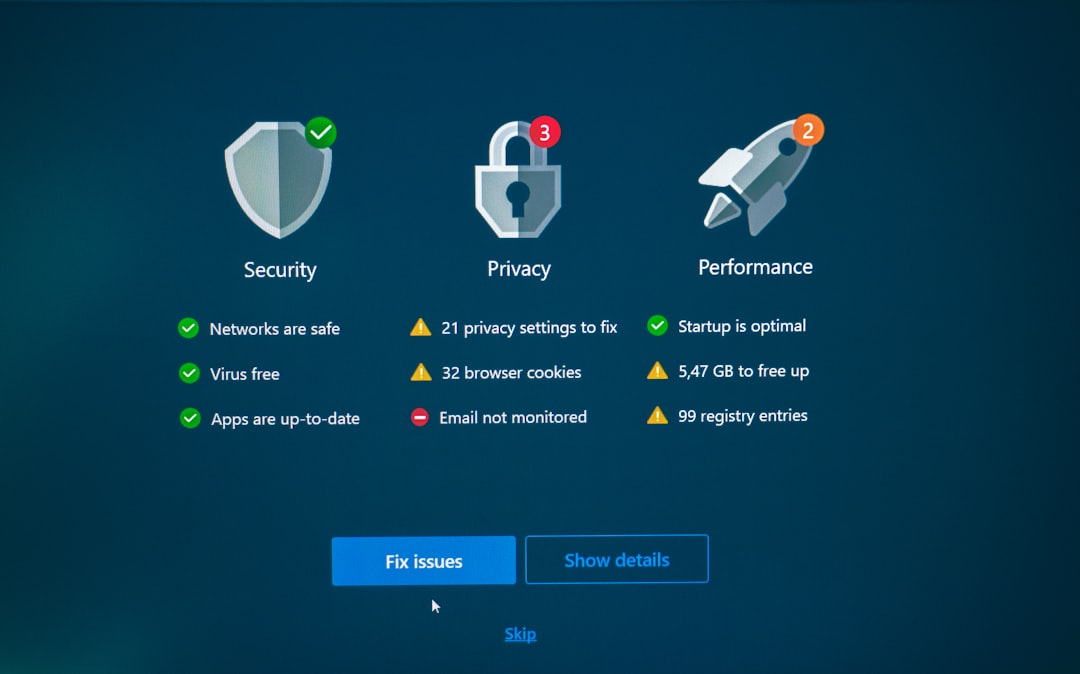
Microsoft Defender is usually the better fit for security teams that already run Microsoft 365, while Teramind is stronger for deep employee activity monitoring, productivity tracking, and insider risk investigations. Defender watches for threats across endpoints, identities, email, cloud apps, and sign-ins. Teramind watches what users actually do on devices and inside apps. The right choice depends on whether the main goal is cybersecurity detection or granular user behavior visibility.
TLDR: Microsoft Defender is best when an organization wants threat alerts, endpoint telemetry, identity risk, and Microsoft 365 security coverage in one stack. Teramind is best when managers or security teams need screenshots, session replay, app usage, website tracking, keystroke logging, and rule-based behavior alerts. For example, a 250-person finance firm might use Defender to detect suspicious logins and malware, then use Teramind to confirm that a contractor copied 1,200 client records to a personal cloud account during a 17-minute session. Defender answers “Is this activity a threat?” while Teramind answers “What exactly did the user do?”
Core Difference: Security Monitoring vs User Activity Monitoring
Microsoft Defender is a security platform first. Its strength sits in threat detection, incident response, endpoint protection, identity monitoring, and cloud app control. It can show logins, device events, risky behavior, file activity in Microsoft 365, alerts, and attack paths. Still, it is not built as a full employee monitoring tool.
Teramind is a user activity monitoring platform first. It tracks employee actions at a much closer level. That includes application use, web visits, file transfers, email activity, clipboard events, print jobs, screen recordings, and policy violations. It can also assign risk scores and send alerts when behavior crosses a set rule.

The catch is that these tools often get compared as if they solve the same problem. They do not. Defender is stronger at detecting ransomware, compromised accounts, and suspicious endpoint behavior. Teramind is stronger at showing whether an employee opened a payroll file, copied data, spent four hours on social media, or triggered a screenshot-based alert.
Microsoft Defender for Monitoring User Activity
Microsoft Defender offers user activity insights across several products. These may include Microsoft Defender for Endpoint, Defender for Identity, Defender for Cloud Apps, and Microsoft Purview tools such as Insider Risk Management and Audit. Together, they can give a strong view of security-related activity.
Defender can monitor suspicious sign-ins, device processes, lateral movement, malware events, risky cloud app use, and abnormal access patterns. For Microsoft-heavy companies, this is useful because much of the data is already inside Microsoft 365 and Entra ID.
- Best for: threat detection, endpoint activity, account compromise, Microsoft 365 audit trails.
- Strength: strong security context across identity, device, email, and cloud apps.
- Weak spot: limited direct visibility into screen-level user behavior.
- Common annoyance: the setup can feel scattered because activity data may sit across several Microsoft portals.
Honestly, it feels like Microsoft can make teams click through one too many admin panels to find a simple answer. A security analyst may need to move between Defender, Entra ID, Purview, and audit logs to piece together a single user event chain. That works for trained security teams. It is less friendly for HR, compliance managers, or operations leaders.
Teramind for Monitoring User Activity
Teramind gives organizations a more detailed view of how users spend time and handle data. It records user sessions, tracks apps and websites, flags risky behavior, and creates productivity reports. Security teams can use it for insider threat detection. Managers may use it for workforce analytics. Compliance teams may use it to prove what happened during an incident.
Teramind can be deployed with different visibility levels. Some organizations use visible agents. Others use stealth mode where legally allowed. This makes policy design and employee notice critical. If used poorly, it can damage trust fast.
- Best for: insider risk, productivity analytics, screen recording, user sessions, data handling events.
- Strength: detailed proof of user actions, including visual playback.
- Weak spot: it does not replace a full endpoint detection and response platform.
- Common annoyance: too many recordings and alerts can create noise unless rules are tuned well.

Teramind is especially useful when a company needs evidence. A log that says a file was accessed is helpful. A replay showing the user opened the file, selected rows, pasted them into a browser, and uploaded them to a personal account is much stronger. That level of detail is where Teramind stands out.
Feature Comparison
| Area | Microsoft Defender | Teramind |
|---|---|---|
| Main purpose | Cybersecurity detection and response | User activity monitoring and behavior analytics |
| Screen recording | Not a core feature | Strong native support |
| Endpoint security | Very strong | Limited compared with EDR tools |
| Productivity tracking | Limited | Strong |
| Insider threat evidence | Good security logs | Detailed user session evidence |
| Microsoft 365 fit | Excellent | Good, but separate platform |
Privacy, Compliance, and Trust
User activity monitoring can help stop data theft, fraud, and policy violations. It can also cross a line if used without clear rules. Defender usually raises fewer privacy concerns because it focuses on threats and system activity. Teramind requires more care because it can capture screens, keystrokes, messages, and web behavior.
Organizations should define what is monitored, why it is monitored, who can view the data, and how long records are kept. Legal review may be needed, especially across different countries or states. Employee notice is often required. Even when it is not, clear notice usually reduces suspicion.
Which One Should a Company Choose?
A company should choose Microsoft Defender when the main problem is malware, phishing, identity attacks, risky endpoints, and Microsoft 365 security. It fits best when the security team needs alerts, incident timelines, threat intelligence, and automated response.
A company should choose Teramind when the main problem is insider activity, employee productivity, data misuse, remote workforce oversight, or policy enforcement. It fits best when teams need visual evidence and detailed activity records.
Some companies use both. That pairing makes sense in regulated industries such as finance, healthcare, legal services, insurance, and call centers. Defender can detect a compromised account. Teramind can show what the user did after access was gained.

Practical Example
A healthcare billing company with 600 employees may use Defender to monitor endpoint threats, phishing attempts, risky sign-ins, and malicious attachments. In one quarter, Defender might reduce uninvestigated security alerts by 35% through automated incident grouping. The same company may use Teramind for 80 contractors who handle patient records. If a contractor exports 500 records outside approved tools, Teramind can trigger an alert, record the session, and give compliance staff a clear case file.
This is the real split. Defender protects the environment. Teramind watches the human actions inside it.
FAQ
Is Microsoft Defender a user activity monitoring tool?
Not in the same way as Teramind. Microsoft Defender monitors security-related user and device activity, but it is not built for employee screen recording, productivity scoring, or detailed session playback.
Is Teramind a replacement for Microsoft Defender?
No. Teramind can detect risky user behavior, but it does not replace Defender’s endpoint protection, threat detection, identity security, or Microsoft 365 security controls.
Which tool is better for insider threat detection?
Teramind is usually better for detailed insider activity evidence. Microsoft Defender is better for spotting security signals tied to compromised accounts, suspicious devices, and attack behavior.
Which tool is better for Microsoft 365 environments?
Microsoft Defender fits more naturally with Microsoft 365, Entra ID, Exchange, SharePoint, OneDrive, and Teams. Teramind can still add value when the organization needs deeper user behavior monitoring.
Can both tools be used together?
Yes. Many organizations benefit from using Defender for security detection and Teramind for user activity evidence. The combination is strongest when policies, access rights, and privacy controls are clearly defined.
Which tool is better for remote employee monitoring?
Teramind is stronger for remote employee monitoring because it can track app use, idle time, websites, file transfers, and screen activity. Defender is better for protecting the remote device and detecting threats.


