Canceling your Optimum Internet service in 2026 doesn’t have to be stressful or confusing. Whether you’re switching providers, moving to a new area, or simply cutting costs, understanding the proper steps can save you money, time, and frustration. Policies and procedures can change, so knowing what to expect during the cancellation process is crucial.
TL;DR: To cancel Optimum Internet in 2026, review your contract for early termination fees, contact customer service directly, return all equipment promptly, and confirm your cancellation in writing. Be prepared for retention offers and verify your final bill carefully. Following these steps can help you avoid extra charges and ensure a smooth cancellation experience.
Why People Are Canceling Optimum Internet in 2026
In recent years, customers have been reevaluating their internet service providers due to rising prices, increased competition, and improved fiber and 5G options. Some common reasons for canceling include:
- Switching to a more affordable provider
- Relocating to an area not serviced by Optimum
- Upgrading to faster fiber services
- Dissatisfaction with customer support or outages
Whatever your reason, following a structured approach will help you avoid unexpected complications.
Step-By-Step Guide to Cancel Optimum Internet
Step 1: Review Your Current Contract
Before contacting Optimum, log into your account and review your service agreement. Look for:
- Contract end date
- Early termination fees (ETF)
- Promotional pricing expiration
- Equipment rental details
In 2026, many Optimum plans are contract-free, but some promotional or bundled deals may still include service agreements. Canceling before your contract ends could cost anywhere from $50 to $200, depending on your plan.
Tip: If you’re close to the end of your contract, it may make sense to wait a few extra weeks to avoid fees.
Step 2: Contact Optimum Customer Support
Unlike sign-ups, cancellations typically cannot be completed entirely online. You’ll need to contact Optimum’s customer retention or cancellation department directly.
You can:
- Call the official Optimum customer service number
- Use live chat (if cancellation is supported in your region)
- Visit a local Optimum store
Important: Always document the date, time, and name of the representative you speak with.
When speaking with a representative, be clear and direct. For example:
“I would like to cancel my internet service. Please confirm the cancellation date and any final charges.”
You may be offered discounts or promotions to stay. Decide in advance whether you’re open to negotiating.
Step 3: Schedule Your Disconnection Date
You don’t necessarily have to cancel immediately. Optimum typically allows you to schedule a future disconnection date.
Consider timing based on:
- Your next billing cycle
- Your move-out date
- Your new provider’s installation appointment
Pro Tip: Schedule cancellation for the last day of your billing cycle to avoid paying for unused service time.
Step 4: Return All Equipment Promptly
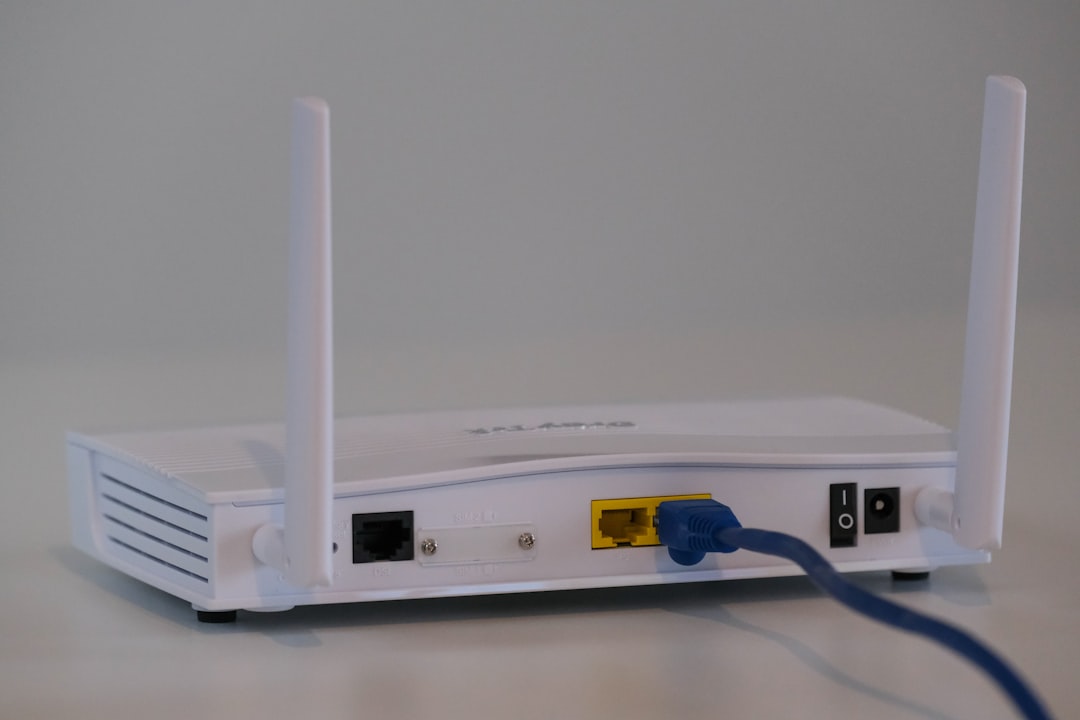
This is one of the most important steps. Optimum may charge significant fees for unreturned equipment, including:
- Modems
- Routers
- Cable boxes (if bundled)
- Remote controls and power cords
You can typically return equipment:
- At an Optimum store
- Via prepaid shipping (if provided)
Always request and keep a receipt as proof of return. Many billing disputes arise from missing or unlogged equipment.
Step 5: Confirm Cancellation and Final Bill
After cancellation, monitor your account and email for confirmation. You should receive:
- A cancellation confirmation notice
- Information about your final statement
- Any outstanding balance details
Carefully review your final bill for:
- Prorated charges
- Early termination fees
- Unreturned equipment charges
If something looks incorrect, contact customer support immediately and reference your cancellation confirmation.
5 Key Tips for a Smooth Cancellation
1. Cancel Near the End of Your Billing Cycle
Most providers, including Optimum, may not prorate partial months in all situations. Cancel too early, and you might still pay for the full cycle.
2. Record Every Interaction
Keep notes of phone calls, chat transcripts, confirmation numbers, and returned equipment receipts.
3. Be Ready for Retention Offers
Optimum customer retention representatives are trained to offer discounts. You might hear:
- Temporary monthly discounts
- Free speed upgrades
- Bundled service deals
If your main concern is price, it may be worth listening before finalizing your cancellation.
4. Double-Check Autopay Settings
Once your final bill is paid, remove autopay from your account to prevent accidental future charges.
5. Return Equipment Immediately
Don’t wait. Equipment return delays are one of the most common reasons people receive unexpected charges.
In-Store vs Phone Cancellation: Quick Comparison
| Method | Pros | Cons |
|---|---|---|
| Phone Cancellation | Convenient, can negotiate offers, no travel needed | Possible long hold times, harder to return equipment same day |
| In-Store Cancellation | Immediate equipment return, face to face confirmation | Requires travel, possible wait times |
Your choice depends on convenience and whether you prefer in-person confirmation.
What Happens After You Cancel?
Once your service is terminated:
- Your internet access will stop on the scheduled date
- Your account will generate a final invoice
- You may still have online access to billing statements for a limited time
If you plan to open an account again in the future, keeping your records can make the process easier.

Common Mistakes to Avoid
Many customers run into preventable issues. Avoid these common pitfalls:
- Forgetting to return equipment
- Not requesting written confirmation
- Canceling before confirming your new provider is active
- Ignoring the final bill
Careful planning ensures a smooth transition between providers without service interruptions.
Can You Cancel Optimum Internet Online in 2026?
Policies evolve, but in most cases, full cancellation still requires speaking with a representative. While account management features have expanded in 2026, major service terminations typically involve human confirmation.
This allows the company to:
- Verify your identity
- Present retention offers
- Explain final charges
- Provide equipment return instructions
Always check Optimum’s official website for the most updated cancellation policies.
Final Thoughts
Canceling Optimum Internet in 2026 is straightforward when you follow a structured process. The key is preparation: understand your contract, communicate clearly, document everything, and return equipment quickly.
By following this guide and applying the five key tips outlined above, you can avoid surprise fees and unnecessary complications. Whether you’re switching providers, relocating, or simply reassessing your monthly expenses, a well-planned cancellation makes the transition smooth and stress-free.
Remember: clarity, documentation, and timing are your best tools when ending any internet service agreement.