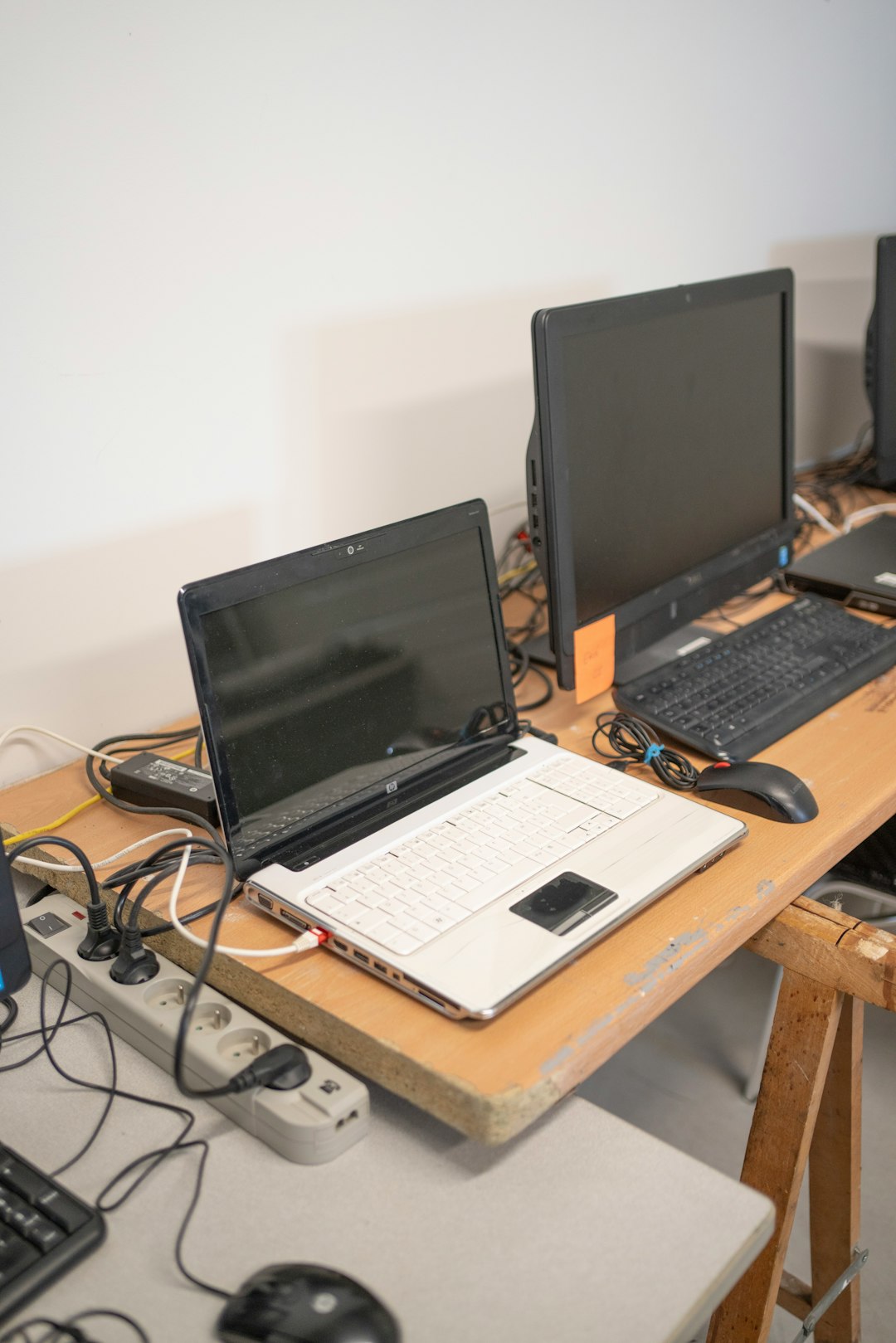
In the increasingly connected world of tech professionals, gamers, and home office users, managing multiple computers efficiently can become a logistical nightmare. Constantly changing cables, dealing with cluttered desktops, and switching between monitors, keyboards, and mice reduces productivity and increases frustration. That’s where a good KVM switch comes into play—a powerful solution that can streamline the workflow and optimize space and performance.
TLDR
A good KVM switch allows users to manage multiple PCs using a single set of peripherals like a monitor, keyboard, and mouse. This not only improves workspace organization but also enhances productivity by enabling seamless device control. Features to look for include connectivity type, number of ports, compatibility, and video resolution support. KVM switches are ideal for IT professionals, developers, gamers, and anyone using more than one computer setup.
What Is a KVM Switch?
A KVM (Keyboard, Video, Mouse) switch is a hardware device that enables users to control multiple computers using one set of peripherals. Most KVM switches have buttons or hotkey commands that let the user switch control from one computer to another instantly.
Initially designed for server rooms and professional network environments, modern KVM switches have found a place in home offices, gaming setups, and remote workstations. They are perfect for users who want to operate different operating systems like Linux and Windows from a centralized station or need access to multiple workstations for development, security analysis, or testing.
Benefits of Using a Good KVM Switch
- Space Efficiency: Eliminates the need for multiple monitors, keyboards, and mice, thereby reducing desk clutter and conserving space.
- Enhanced Productivity: Switching between systems becomes seamless without constant unplugging and plugging of peripherals.
- Cost-Effective: Reduces the need to purchase additional hardware for each machine.
- Simplified IT Management: Particularly useful in data centers or testing labs where multiple machines need unified control.
Key Features to Look for in a Good KVM Switch
Not all KVM switches are created equal. Depending on usage scenarios, users should assess their needs carefully. Here are the features that determine a great KVM switch:
1. Number of Ports
This refers to how many computers the KVM switch can support. Basic models may support 2 PCs, while more advanced units can connect to 4, 8, or even more systems. Choose based on current and future needs.
2. Video Resolution Support
If visual quality matters—for instance, for gaming or graphic design—then video resolution is crucial. Look for KVMs that support at least 4K UHD (3840×2160) or higher resolutions. Modern models support HDMI and DisplayPort signals, maintaining rich color depth and clarity.
3. USB and Peripheral Support
Check for the type and number of USB ports. Professional or advanced users may require USB 3.0 connectivity, audio switching, and even file transfer features. Some KVMs offer dedicated USB peripheral sharing ports aside from the primary keyboard/mouse ones.
4. Switching Methods
Users should look at how switching happens—via a physical button on the device, keyboard hotkeys, mouse gestures, or even remote control. Advanced KVM switches might also offer automatic switching based on activity.
5. Compatibility
It’s critical to ensure the KVM switch is compatible with different operating systems and hardware. Some switches may not support Mac OS, while others could lack Linux compatibility. Certain models also support touchscreen or USB-C devices.
6. Audio and Microphone Support
This feature is essential for users using VoIP applications, attending online meetings, or gaming. Dedicated audio input and output ports allow seamless audio switching between computers.
Use Cases for KVM Switches
1. IT Professionals and Server Rooms
KVM switches remain a backbone of server farms and enterprise IT infrastructure. Administrators can manage multiple servers from a single console, reducing time and operational complexity.
2. Developers and Testers
Programmers often need access to different operating systems or test environments. A good KVM switch helps them toggle between development machines and test systems effortlessly.
3. Remote Workers and Content Creators
People working from home may use one computer for work and another for personal use or streaming. A KVM switch helps in toggling between the two without messing with cables or dual setups.
4. Gamers
Dual PC setups are increasingly popular among streamers and gamers who want to separate their gaming and streaming machines. A high-resolution KVM switch can manage this dual setup with zero compromise on performance or quality.
Best KVM Switches in the Market (2024)
Here’s a look at some of the top-rated KVM switches you can consider:
- IOGEAR 2-Port HDMI KVM Switch: Ideal for gamers and creatives, supports 4K resolution and HDMI with USB peripheral sharing.
- TESmart HDMI 4-Port Switch: Great for workstations with multiple PCs; supports USB 2.0 devices and 4 PCs with one display.
- StarTech Dual Monitor KVM: Designed for high-res dual-monitor setups, supports DisplayPort and high refresh rates.
- Ugreen USB KVM Switch Box: Affordable and simple; best for users who want to control two devices with one keyboard and mouse.
Each device has its own pros and cons, but choosing the right one will depend on what’s most important to the user—be it resolution, port count, or compatibility.
Drawbacks to Consider
While KVM switches offer many benefits, they do come with some drawbacks:
- Initial Cost: Higher-end KVM switches can be expensive depending on features and connectivity.
- Compatibility Hiccups: Some peripheral functions like hotkeys or special mouse features might not work across all systems.
- Cable Management: Connecting multiple PCs can still lead to messy cables if not managed properly.
Tips for Choosing the Right KVM Switch
- Assess your primary needs: Work, gaming, or development?
- Match port type and number: Ensure your devices use HDMI, DisplayPort, or USB-C accordingly.
- Consider future growth: Opt for more ports than you need now to ensure scalability.
- Evaluate peripherals: Make sure essential USB devices like webcams, external drives, or gaming mice work seamlessly.
Conclusion
A good KVM switch transforms a chaotic multi-device environment into a streamlined and user-friendly workstation. Whether it’s for productivity, creative endeavors, or entertainment, the right KVM switch can save time, reduce clutter, and enhance performance. As modern work habits evolve, investing in such a tool is not just smart—it’s essential.
FAQ
- Q: Can I use a KVM switch with a laptop?
A: Yes, if your laptop has compatible video output and supports USB peripherals. USB-C KVM switches are ideal for modern laptops. - Q: Will a KVM switch affect gaming performance?
A: Not if you choose a high-quality switch that supports low latency and high video resolutions like 4K at 60Hz or more. - Q: Is it hard to set up a KVM switch?
A: Most KVM switches are plug-and-play, with straightforward setup. Just connect the devices, power it on, and you’re ready. - Q: Can KVM switches transfer files between computers?
A: Only advanced KVM switches or specialized models support USB file sharing. Most are designed primarily for switching control and video. - Q: What’s the difference between a manual and automatic KVM switch?
A: Manual switches require physical or hotkey-based control to switch, whereas automatic switches can detect activity and switch automatically between devices.