
Modern digital displays, whether used in televisions, smartphones, or computer monitors, are made up of millions of tiny pixels. Occasionally, a malfunction occurs, leading to visual anomalies such as dead or stuck pixels. While such issues may seem minor, they can be distracting and even indicate underlying manufacturing flaws. Understanding the difference between a dead pixel and a stuck pixel can help users decide whether the issue is fixable or if it’s better to pursue a replacement or warranty claim.
TL;DR
Dead pixels are pixels that no longer function, typically appearing as black spots on the screen. Stuck pixels, on the other hand, remain fixed on a particular color, often bright green, red, or blue. Dead pixels are usually not repairable, whereas stuck pixels can sometimes be fixed using software or physical methods. Knowing the type of pixel issue helps users determine the right course of action.
What Is a Dead Pixel?
A dead pixel refers to a single pixel on a screen that no longer receives power. This means the pixel is entirely unresponsive and displays no color, typically appearing as black regardless of what is shown on the screen. It is caused by a complete failure of the transistor or electrical connection associated with that particular pixel.
Dead pixels can occur due to manufacturing defects, physical damage, or aging components. Because the pixel is no longer functioning at all, it does not emit any light, which makes it easy to spot against bright or colorful backgrounds.
Key characteristics of dead pixels:
- Always appear black
- Do not change regardless of screen content
- Usually not repairable
- May increase in number over time if caused by aging hardware
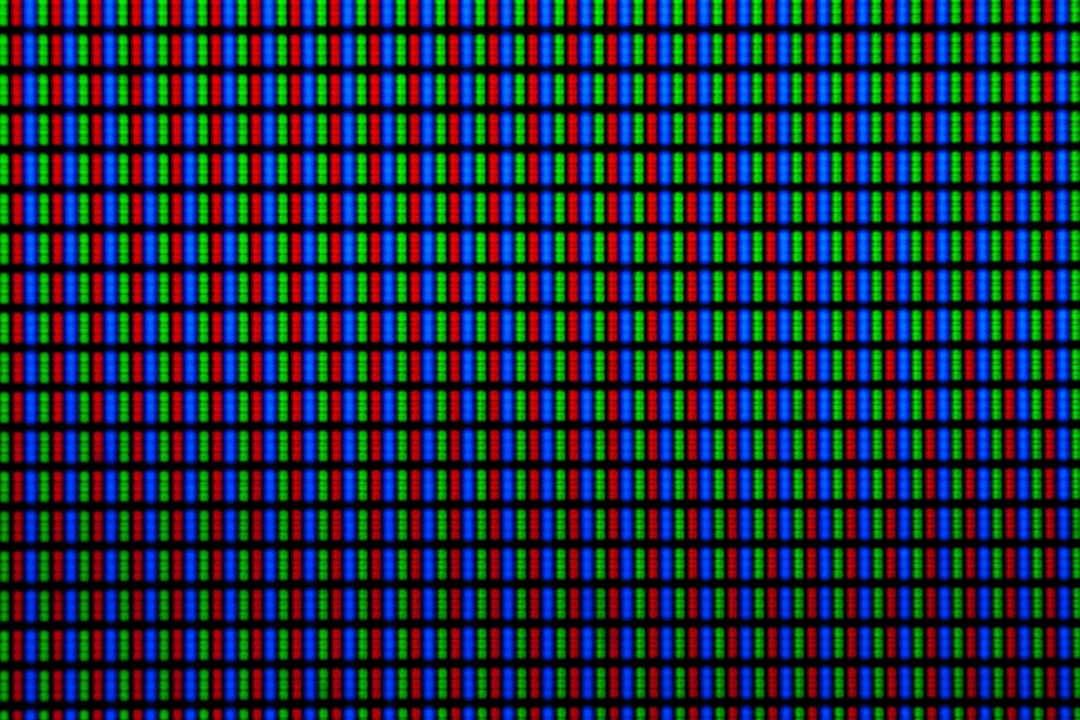
What Is a Stuck Pixel?
A stuck pixel occurs when the transistor responsible for illuminating that pixel remains on, causing the pixel to stay fixed on one color—commonly red, green, or blue. Unlike dead pixels, stuck pixels still receive power and can sometimes be restored using pixel correction tools or gentle pressure techniques.
Stuck pixels are often due to minor manufacturing inconsistencies and can appear suddenly or over time. While they can be annoying, they are sometimes fixable, especially if detected early.
Key characteristics of stuck pixels:
- Appear as red, green, blue, or white spots
- Visible against darker backgrounds
- May flicker or behave differently under certain software tools
- Potentially repairable with software or physical methods

How to Identify Dead vs. Stuck Pixels
Identifying whether a pixel is dead or stuck usually involves a visual inspection and some diagnostic testing. Many online test tools allow users to switch their screen to solid colors—red, green, blue, white, and black—to help spot the malfunctioning pixels.
Steps to identify the type of defective pixel:
- Change the screen to a solid black background. A dead pixel will remain black, while stuck pixels might stand out as colored dots.
- Switch to solid red, green, and blue backgrounds. A stuck pixel will remain on one of these colors, making it easier to detect.
- Use pixel test software such as UDPixel, JScreenFix, or Dead Pixel Buddy for a more advanced examination.
Can You Fix These Pixels?
The possibility of fixing a pixel issue largely depends on whether the pixel is dead or stuck. Unfortunately, dead pixels are considered a hardware issue with no reliable fix; however, stuck pixels may respond positively to software and manual repair attempts.
Methods to Fix a Stuck Pixel:
- Pixel Flasher Tools: Running a rapid color-changing software can trigger the stuck pixel to reinitialize and begin functioning.
- Pressure Method: Applying gentle pressure with a soft cloth or cotton swab can sometimes restore pixel function, though caution is urged.
- Screen Massage: Slowly rubbing the area around the stuck pixel can help jostle it back into function.
Always attempt software-based solutions first, as physical interventions pose a risk of damaging additional pixels or even cracking the screen.
What Causes These Pixels to Malfunction?
Pixel issues can arise from various causes ranging from manufacturing to wear and tear.
Common causes include:
- Manufacturing Defects: Most common in new displays, often covered under warranty depending on the maker’s pixel policy.
- Age and Wear: Extended usage can lead to a breakdown in the pixels’ electrical components.
- Physical Damage: Drops and impacts can disrupt the electrical currents that power the pixels.
- Extremely High or Low Temperatures: Temperature stress can impair pixel performance temporarily or permanently.
Warranty and Pixel Policies
Not all manufacturers treat pixel defects the same way. While some will replace a screen with even a single dead pixel under warranty, others may require several dead or stuck pixels before considering a display defective.
Common manufacturer pixel policies:
- Apple: Usually lenient, especially for new Macs and iPads; one dead pixel might qualify.
- Dell and HP: Often require a minimum number (e.g., 6+ defective pixels) for panel replacement.
- Samsung: May honor warranty based on pixel placement and visibility.
- LG: Typically more conservative in accepting returns for a few stuck pixels.
It’s wise to check a product’s pixel policy before purchasing, especially for high-resolution displays like 4K monitors and OLED screens where pixel defects are more noticeable.
Preventing Pixel Problems
While some dead or stuck pixels result from manufacturing imperfections, others may be preventable with proper usage and care.
Tips for prevention include:
- Keep screens clean: Dirt and residues can cause overheating or improper pressure distribution.
- Avoid prolonged screen-on states: Use screen savers or auto-sleep timers to prevent permanent burn-in or overuse of certain pixels.
- Handle with care: Avoid banging or pressing on screens, especially during transport.
- Avoid extreme temperatures: Store electronics in moderate temperature ranges to prevent stress on internal parts.

Conclusion
In summary, dead pixels and stuck pixels are among the most common visual defects seen in digital displays. While they may appear similar at first glance, knowing the difference is crucial for diagnosis, troubleshooting, and deciding whether a fix is possible. Thanks to pixel testing tools and repair techniques, stuck pixels often have a shot at repair, while dead pixels typically require more significant intervention or replacement. Awareness of manufacturers’ pixel policies can also help ensure peace of mind, whether for new purchases or warranty considerations.
FAQ: Dead Pixel vs. Stuck Pixel
- Q: How can I tell if I have a dead or stuck pixel?
A stuck pixel usually appears as a tiny red, green, or blue dot and may be visible only on certain backgrounds, while a dead pixel looks black and remains unchanged on any background. - Q: Are stuck pixels fixable?
Yes, stuck pixels can sometimes be fixed using software tools or gentle physical techniques such as screen massage. - Q: Will dead pixels spread over time?
They may increase if the display is aging or exposed to damaging conditions, but a single dead pixel does not automatically cause others to fail. - Q: Is a single dead pixel covered under warranty?
It depends on the manufacturer’s pixel policy. Some offer replacements for even one pixel, while others require several. - Q: Can pixel problems happen on new devices?
Yes, even new devices can have stuck or dead pixels due to manufacturing defects, which should be addressed through warranty if eligible.