Staying connected at high speed is no longer a luxury in 2026—it is a necessity. Whether you are streaming in 4K, attending video meetings, gaming online, or running a business from your smartphone, having the correct APN settings on your VI (Vodafone Idea) SIM can make a noticeable difference in speed and stability. While most devices configure these settings automatically, manual configuration often unlocks better performance, especially for 4G and 5G networks.
TLDR: If your VI internet feels slow, unstable, or fails to connect to 4G/5G properly, updating your APN settings can significantly improve speed and reliability. Use “vi internet” as the APN name and ensure LTE/5G network mode is enabled for best performance. Resetting APN or configuring it manually often fixes speed throttling and connectivity issues. Always restart your device after saving new settings.
What Are APN Settings and Why They Matter?
APN stands for Access Point Name. It acts as a gateway between your mobile network and the internet. Simply put, APN settings are what allow your device to connect to VI’s data servers and access online services.
If your APN is incorrect or outdated:
- You may experience slow internet speeds.
- 4G or 5G may not activate properly.
- MMS might not send or receive.
- Internet connection may drop frequently.
With Vodafone Idea expanding its 5G presence across India in 2026, ensuring optimized APN settings has become more important than ever.
Latest VI APN Settings for 4G/5G (2026)
Below are the recommended VI APN settings for fast 4G and 5G internet:
- Name: VI Internet
- APN: vi internet
- Proxy: Not set
- Port: Not set
- Username: Not set
- Password: Not set
- Server: Not set
- MMSC: Not set
- MMS Proxy: Not set
- MMS Port: Not set
- MCC: 404
- MNC: 86 (varies by circle)
- Authentication Type: None
- APN Type: default,supl
- APN Protocol: IPv4/IPv6
- Bearer: LTE, NR (for 5G)
Leave fields as Not set if they are not specified.
How to Configure VI APN Settings on Android
Follow these steps to manually configure APN settings on Android devices:
- Open Settings.
- Go to Mobile Network or SIM & Network.
- Select your VI SIM.
- Tap on Access Point Names (APN).
- Click Add New APN.
- Enter the details listed above.
- Save the settings.
- Select the newly created APN.
- Restart your device.
After rebooting, your device should automatically connect to VI 4G or 5G, depending on network availability.

How to Configure VI APN Settings on iPhone
Apple devices usually configure APN automatically, but manual setup may be required in some cases.
- Go to Settings.
- Tap Mobile Data.
- Select Mobile Data Network.
- Enter vi internet in the APN field.
- Leave Username and Password blank.
- Go back and restart your iPhone.
If 5G does not activate, also ensure:
- Voice & Data is set to 5G Auto or 5G On.
- Your location has VI 5G coverage.
- Your SIM is 5G enabled.
Comparison: Automatic vs Manual APN Configuration
| Feature | Automatic Setup | Manual Setup |
|---|---|---|
| Ease of Use | Very Easy | Moderate |
| Customization | Limited | High |
| Fixes Speed Issues | Sometimes | Often |
| 5G Optimization | Basic | Advanced |
| Recommended For | Casual users | Users facing speed issues |
Manual configuration gives you more control, especially if you frequently switch locations or notice inconsistent internet speeds.
How to Boost VI 4G/5G Speed Beyond APN Settings
Correct APN settings are just one piece of the puzzle. Here are additional strategies to maximize speed:
1. Switch Network Mode
Ensure your device is set to:
- 5G/LTE/3G/2G Auto (Preferred)
This allows your device to automatically switch to the fastest available network.
2. Enable Carrier Aggregation
Modern smartphones support carrier aggregation, a technology that combines multiple frequency bands to boost data speed.
3. Reset Network Settings
If problems persist:
- Go to Settings → System → Reset → Reset Network Settings.
This clears outdated configurations that may interfere with connectivity.
4. Update Your Device Software
System updates often contain modem optimizations that improve network performance.
5. Replace Old SIM Cards
Older SIM cards may not fully support 4G+ or 5G features. Visit a VI store for a SIM upgrade if needed.

Common VI Internet Problems and Fixes
Problem: Slow 4G Speed
- Update APN settings manually.
- Switch to LTE only mode temporarily.
- Check for network congestion in your area.
Problem: 5G Not Showing
- Confirm 5G is enabled in settings.
- Ensure you are in a 5G coverage area.
- Update SIM and device firmware.
Problem: No Internet After Recharge
- Restart your phone.
- Reset APN settings.
- Contact VI customer support if the issue continues.
VI 5G in 2026: What to Expect
VI has significantly expanded its 5G infrastructure in metro cities and tier-2 towns. In 2026, users can expect:
- Download speeds exceeding 1 Gbps in optimal conditions.
- Improved indoor coverage.
- Lower latency for gaming and streaming.
- Enhanced network stability.
However, real-world performance still depends on factors like:
- Distance from cell towers
- Network congestion
- Building materials
- Device compatibility
Best Practices for Consistent Fast Internet
To maintain consistently fast VI internet speeds:
- Restart your device once a week.
- Remove unused APN profiles.
- Keeps apps updated.
- Avoid peak congestion hours for heavy downloads.
- Use certified 5G-compatible smartphones.
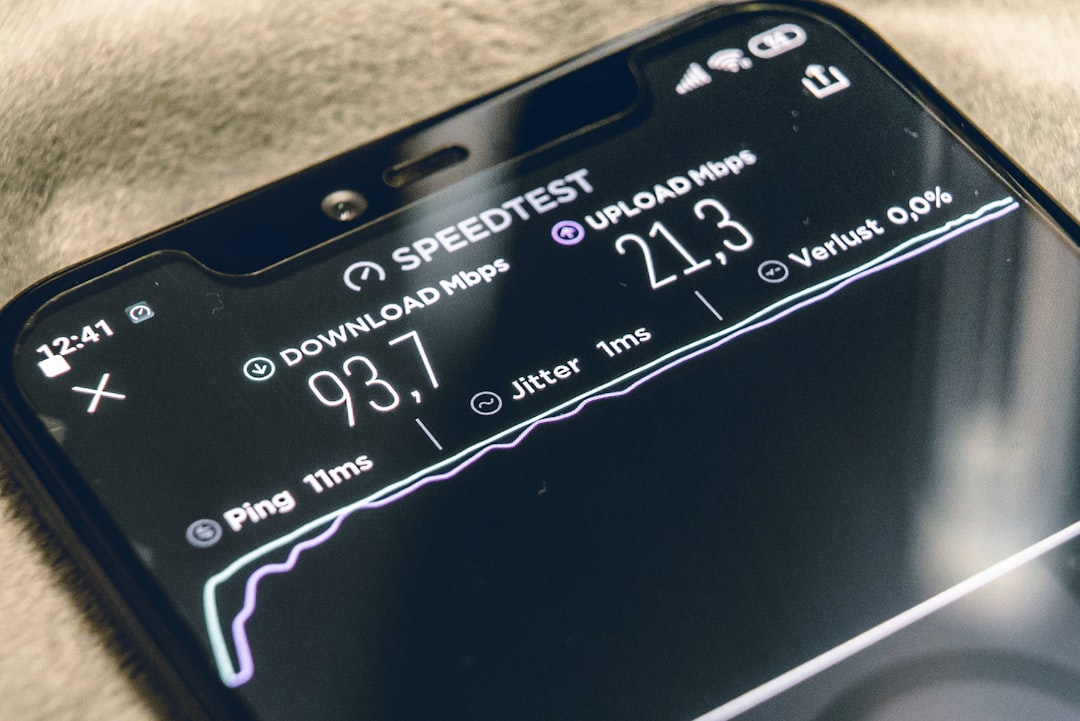
It is also advisable to run periodic speed tests to track performance trends. If speeds drop consistently below expected levels, updating APN or switching network modes can often resolve the issue.
Does APN Really Improve Speed?
A common question is whether APN changes truly increase speed. The answer is: Yes, but conditionally.
APN settings do not magically increase bandwidth. However, they:
- Ensure optimal routing through VI’s network.
- Prevent misconfigurations.
- Enable proper 4G/5G authentication.
- Reduce connection drops.
Incorrect APNs can cause fallback to slower protocols, which is why manual configuration often results in noticeable improvement.
Final Thoughts
Optimizing your VI APN settings for 4G/5G in 2026 is one of the simplest yet most effective ways to enhance your mobile internet experience. Whether you are struggling with slow speeds, unstable connections, or missing 5G access, manually configuring APN settings can resolve many common issues.
With Vodafone Idea continuously upgrading its infrastructure, users who keep their devices updated and properly configured will benefit the most. Fast internet is about more than just having a 5G plan—it is about ensuring every technical setting, including your APN, is aligned for maximum performance.
Take a few minutes to check your settings today—you might be just one configuration away from dramatically faster internet.